USPS LiteBlue eRetire: Easy Retirement Application Guide 2026
Getting close to retirement as a USPS employee comes with a lot of questions and not enough clear answers. That’s exactly where LiteBlue eRetire steps in. It’s a secure, government-backed self-service tool built right into the LiteBlue portal, designed to make retirement planning less of a guessing game.
Whether you’re five years out or already eligible, eRetire walks you through the essentials from estimating your pension to requesting your official paperwork. Think of it less as a bureaucratic hurdle and more as your personal retirement roadmap inside USPS.
What Is LiteBlue eRetire?
LiteBlue eRetire is USPS’s online retirement planning system available directly through the LiteBlue portal. The United States Postal Service built it specifically so eligible postal employees could manage the early stages of retirement on their own terms without waiting on HR or dealing with slow paper processes.
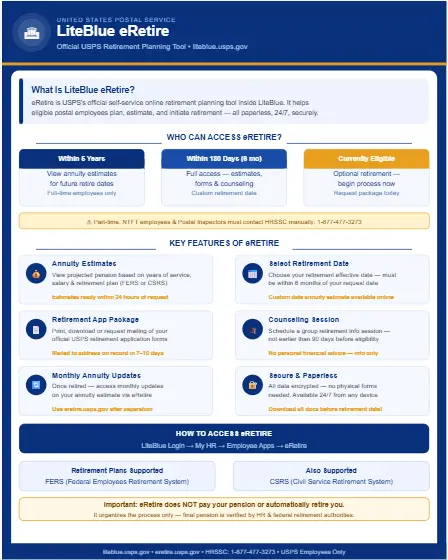
Through eRetire, employees can:
- Check projected pension (annuity) amounts
- Choose a preferred retirement date
- Print or request official retirement forms
- Schedule retirement counseling sessions
- Start the formal retirement application process
One thing worth being clear about: eRetire does not pay your pension, nor does it automatically retire you. It simply organizes and starts the retirement process think of it as a prep tool, not a finalizer.
USPS employees can also access their payroll information through the LiteBlue portal. For a step-by-step breakdown, visit our guide on LiteBlue ePayroll.
Who Can Use LiteBlue eRetire?
Not every USPS employee has access to the eRetire portal. Access depends on how close you are to retirement eligibility.
Eligible Employees
| Criteria | Access Level |
|---|---|
| Full-time, within 5 years of retirement eligibility | Can generate annuity estimates |
| Within 180 days (6 months) of eligibility | Can select retirement date, request packet |
| Already eligible for optional retirement | Full access to all features |
Not Eligible for Self-Service Estimates
These employee categories must contact HR Shared Services directly for manual estimates:
- Part-time employees
- Non-Traditional Full-Time (NTFT) employees
- Postal Inspectors
If eRetire doesn’t appear in your LiteBlue dashboard, you’re likely outside the eligibility window it’s not a glitch, just timing.
How to Access LiteBlue eRetire?
Follow these steps carefully to reach the eRetire portal:
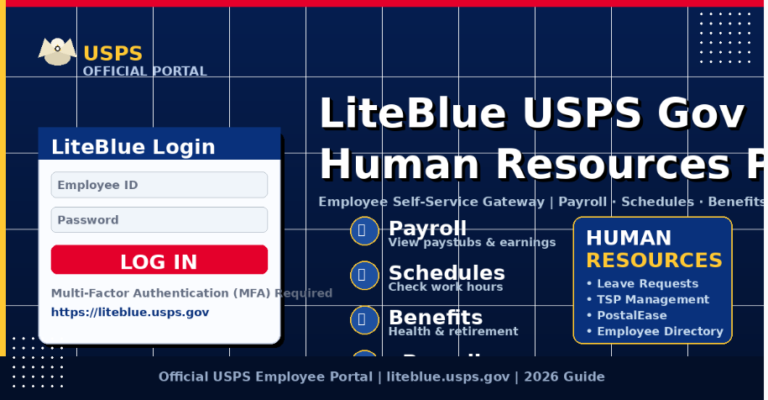
- Step 1: Log in to LiteBlue using your 8-digit Employee ID (EIN).
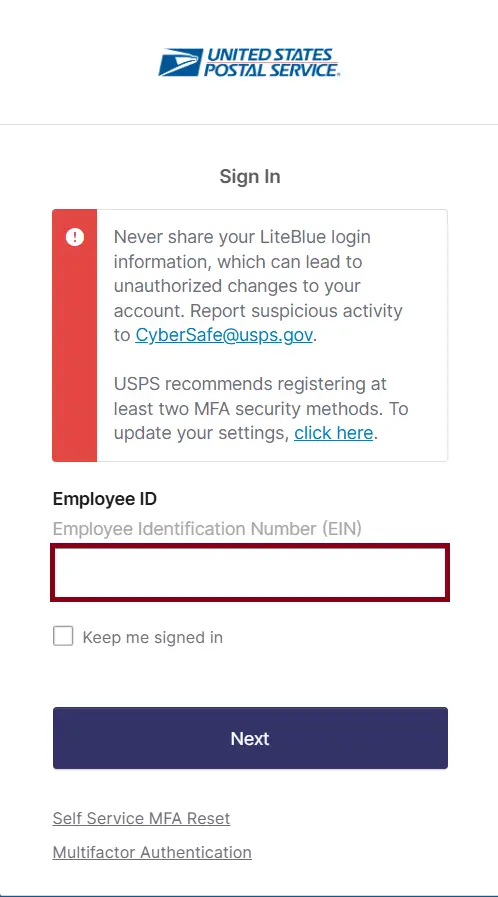
- Step 2: USPS Self-Service Password (SSP),
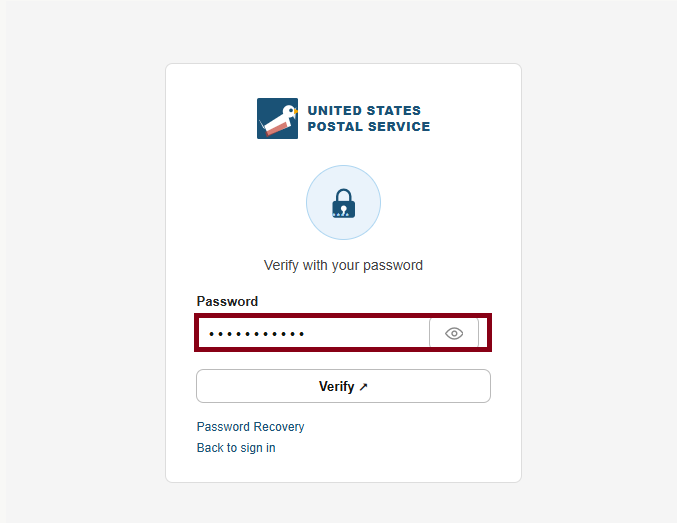
- Step 3: complete Multi-Factor Authentication (MFA)
Once inside, find eRetire through any of these three paths:
- Homepage → Quick Links → Employee Apps → eRetire
- My HR tab → Employee Apps → eRetire
- Bottom of My HR page → Employee Apps → eRetire
Important: Once you separate from USPS, you lose LiteBlue access entirely. Download everything you need before your retirement date.
Features by Timeline
Your available options inside eRetire shift depending on where you fall in the retirement eligibility timeline.
| Timeframe to Eligibility | What You Can Do |
|---|---|
| Within 5 years | Generate annuity estimates for eligibility date, +6 months, +1 year, or a custom date (up to 12 months ahead). View and print estimates. |
| Within 180 days or already eligible | Select retirement date, request or print retirement application package, schedule group counseling. |
Annuity Estimates
For most employees, this is the core reason to log into eRetire. The system calculates your projected pension based on:
- Creditable years of service
- Service Computation Date (SCD)
- High-3 average salary
- Your retirement system FERS or CSRS
You can generate estimates for:
- Your first eligibility date
- 6 months after eligibility
- 1 year after eligibility
- A custom date within 12 months
These are estimates only. Final annuity amounts get verified by HR and federal retirement authorities before anything is finalized.
Retirement Application Package
Once you’re within 180 days of retirement eligibility, eRetire unlocks the ability to:
- Print official retirement forms
- Download the full retirement packet
- Request the packet be mailed directly to your home
The packet generally includes forms covering:
- Retirement election
- Survivor benefit selection
- Health insurance continuation (FEHB)
- Life insurance elections
All completed forms must be submitted to HR Shared Services eRetire prepares and organizes them, but the submission is on you.
Retirement Counseling
Through eRetire you can schedule:
- Group retirement informational sessions: great for getting a general overview of your timeline and options
- HR counseling appointments: more focused discussions on how to fill out paperwork, benefit continuation options, and your retirement timeline
Keep in mind: these sessions don’t provide personal financial advice. If you need detailed financial planning beyond USPS benefits, an outside advisor is worth considering.
USPS Planning Early Retirement Options
At this time, there is no official announcement of a new company-wide VERA (Voluntary Early Retirement Authority) for 2026. However, the USPS is still adjusting its workforce through restructuring and previously approved retirement incentives.
2025–2026 Incentive Program
In early 2025, USPS finalized an agreement offering up to $15,000 for eligible employees who choose early retirement.
- The payments are split into parts
- The final $5,000 payment is scheduled for August 28, 2026
Ongoing Changes
USPS continues to face financial pressure, including a cash warning in early 2026.
- Because of this, further cost-cutting steps may happen
- But no new 2026 VERA package has been confirmed yet
Who Typically Qualifies
Early retirement usually requires:
- Age 50 with at least 20 years of service, OR
- Any age with 25 years of service
How to Check If You’re Eligible
- USPS sends official letters via First-Class Mail to eligible employees
- Updates are also shared on the LiteBlue MyHR portal
Where to Get Accurate Information
Employees should always verify details through official or trusted sources like:
- United States Postal Service LiteBlue (MyHR section)
- American Postal Workers Union (APWU)
- National Postal Mail Handlers Union (NPMHU)
These sources provide the most up-to-date and reliable guidance on retirement options.
Key Takeaway
There’s no new 2026 VERA announced, but the 2025 incentive program is still active, and USPS may make further changes depending on financial conditions.
Related LiteBlue Retirement Tools
eRetire is the main planning tool, but a few others complement it nicely:
| Tool | What It Shows |
|---|---|
| PostalEASE | Benefit statements and elections |
| Personal Statement of Benefits | Your eligibility dates and benefit summary |
| ePayroll | Full pay history review |
| Leave Balance Records | Remaining leave before separation |
Download everything important from these tools before your retirement date access ends after separation from USPS.
How Much Do You Need to Retire at 60 with $80,000 a Year
If you want to retire at 60 and spend about $80,000 per year, a common estimate is that you’ll need around $2 million in savings. This is based on widely used retirement guidelines and gives you a comfortable safety margin.
Simple Way to Estimate Your Goal
The 25× Rule
A quick way to calculate your retirement target is:
$80,000 × 25 = $2,000,000
This means you need about 25 times your yearly expenses saved before retiring.
How the 4% Rule Works
The 4% rule suggests:
- You withdraw 4% of your savings in the first year
- Then adjust that amount for inflation each year
This strategy is designed to make your money last 30 years or more
Don’t Forget Healthcare Costs
If you retire at 60, you’ll likely need private health insurance until Medicare starts at 65.
This can be a major expense, so include it in your planning.
Other Income Can Lower Your Goal
If you expect income from:
- Social Security
- Pension
Example:
- You get $20,000/year from other sources
- You only need $60,000 from savings
New target: around $1.5 million instead of $2 million
Plan for a Long Retirement
Retiring at 60 means your money may need to last 30+ years
That’s why it’s important to:
- Factor in inflation
- Avoid withdrawing too much too early
Important Tips Before Retiring
A few things to take care of before you officially retire:
- Download all W-2 forms and save earnings statements
- Check your leave balances
- Review and confirm your Service Computation Date (SCD)
- Verify prior federal service credit
- Carefully review your benefits elections
Mistakes in service credit can directly affect your pension amount it’s worth double-checking before submitting anything.
Common Problems and Solutions
eRetire Not Showing in LiteBlue You’re likely outside the eligibility window. This is expected it’ll appear as you get closer.
Estimate Looks Wrong Check the following:
- Service Computation Date accuracy
- Any missing prior service periods
- Incorrect salary records on file
Contact HR Shared Services if something still seems off after checking these.
Login Issues Reset your SSP password or complete MFA verification again. These are the two most common causes of access problems.
What LiteBlue eRetire Does Not Do?
To avoid any confusion going in:
- It does not move or manage your TSP funds
- It does not provide tax advice
- It does not finalize your retirement automatically
- It does not issue pension payments
Its role is to prepare and organize the retirement process everything downstream still goes through HR and federal retirement authorities.
Why It Is Important?
Before eRetire existed, employees had to request paper estimates, manually calculate retirement income, wait longer for counseling scheduling, and risk missing required forms. The whole thing was slow and error-prone.
eRetire centralizes everything securely inside one portal reducing the risk of missed steps and giving employees a clearer picture of what retirement actually looks like for them, on their own timeline.
FAQs About USPS LiteBlue eRetire
Conclusion
LiteBlue eRetire takes the guesswork out of one of the most important transitions in a postal worker’s career. From generating annuity estimates to requesting your retirement packet, everything lives in one secure portal. It won’t finalize your retirement or manage your TSP, but it gives you a clear, organized starting point. If you’re within five years of eligibility, logging in today is the smartest first step you can take.